
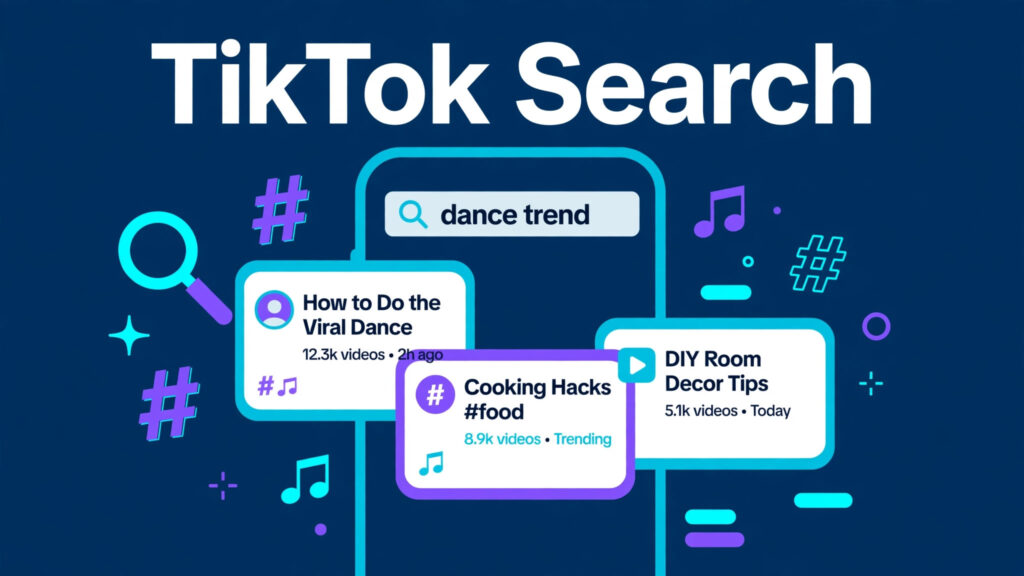
TikTok search is the fastest way to find exactly what you want on the app, whether that is a video you saw yesterday, a creator you want to follow, a hashtag full of ideas, or a sound you cannot get out of your head. Most people only use it for videos and miss the filters that make TikTok search genuinely useful. This guide walks through every type of TikTok search, so you can find videos, users, hashtags, sounds, and effects without endless scrolling.
How TikTok Search Works
TikTok search works like a mix of search engine and recommendation feed. When you type a word or phrase, TikTok matches it against video captions, hashtags, sounds, usernames, and spoken words in videos. It then ranks results using relevance, engagement, and what it knows about your interests. Two people searching the same phrase often see different results, because TikTok personalises the order based on watch history and interactions.
The search bar sits at the top of the Discover page. Tap it, type your query, and TikTok shows suggestions as you type. Those suggestions reflect what other people actually search for, which helps you spot trends and phrase queries the way other users do.
How to Search for Videos on TikTok
Searching for a specific video is the most common use of TikTok search, and the one people get wrong most often. Start with the most distinctive words from the video. If it was about a recipe, search for the dish name plus one unusual ingredient, not just “easy dinner recipe”. Specific phrases narrow results far faster than broad ones.
Once results load, use the filter tabs at the top. Sort by relevance or most recent, and filter by date range if you remember roughly when you saw the video. If you liked or saved it, check your own history first: liked videos live under your profile, and watch history sits in Settings. For a broader look at how search works across social platforms, see our Twitter advanced search guide.
How to Search for Users on TikTok
To find a person or a brand, type their name or username into the search bar and tap the Users tab. TikTok shows matching accounts with profile pictures, usernames, and follower counts. Verified accounts carry a blue checkmark, which helps when several accounts share a similar name.
If you only know part of a username, type what you remember and scan the suggestions, which update as you type. You can also find someone from a video by tapping their username or profile picture. If a creator is tagged in a comment, tapping the name opens their profile. If you run a brand account, our guide to finding and contacting influencers explains how to vet creators before you reach out.
How to Search Hashtags on TikTok
Hashtags are how TikTok groups videos by topic, challenge, or trend. Type one into the search bar, with or without the hash symbol, then tap the Hashtags tab. Each result shows the hashtag, how many videos use it, and a preview of top videos. A hashtag with millions of videos is a broad trend, while one with a few thousand is a niche community.
Tap a hashtag to open its page, where TikTok shows the most popular videos first. This is the fastest way to research a trend before you post: study the format, the sound, and the angle that is working, then decide how your version adds something new. TikTok explains hashtag basics in its help centre, and the background of the platform itself is covered on Wikipedia.
How to Search Sounds and Music on TikTok
Sounds drive much of what goes viral on TikTok. If you hear a sound in a video and want to use it, tap the spinning disc or the sound name at the bottom. That opens the sound page, where you can see every video using it, save it to your favourites, and tap Use this sound to record your own video.
To search for a sound by name, type the song title or artist into the search bar and tap the Sounds tab, then preview each match with its play button. A high video count means heavy competition, while a rising count may signal an early trend worth joining. If you only remember a lyric, search for it as a phrase. TikTok indexes spoken and sung words in many videos, so lyric searches often work even when you do not know the title.
How to Search Effects and Filters
Type an effect name into the search bar and tap the Effects tab to see matching filters, each with a preview. You can also find effects from inside a video: if a video uses an effect you like, its name appears above the caption, and tapping it opens the effect page with a Try this effect button. Save the ones you like to your favourites.
How to Use Visual Search on TikTok
TikTok also offers visual search, which lets you search with a photo instead of words. In the search bar, tap the camera icon, then take a photo or upload one from your gallery. TikTok analyses the image and shows similar products, videos, or content, which is most useful for shopping. Crop the image to the item first, since busy backgrounds confuse it. Our influencer outreach tutorial covers how creators showcase products in a way that survives this kind of search.
How to Search TikTok Without an Account
You can search TikTok without logging in, but with limits. On the web, open the TikTok site and use the search bar at the top to browse videos, users, and hashtags, and most videos play normally. The mobile app is more restrictive: you can scroll the For You feed as a guest, but search prompts you to sign in after a few queries.
Guest searching has real limits. You cannot like, save, comment, or follow, and TikTok may cap how many searches you can run before asking you to log in. Results are also less personalised, which helps when you want neutral results for research. If you search TikTok regularly for work, an account is worth it for saved searches, history, and favourites alone.
Tips to Get Better TikTok Search Results
A few habits make TikTok search far more accurate. Use quotation marks around exact phrases when you remember specific words from a video. Combine a keyword with a filter, such as a date range, instead of relying on the default mixed results. Search in the language the video used, since TikTok matches captions and spoken words in their original language. When results feel stale, clear your search history in Settings, because heavy personalisation can hide newer videos behind older ones you engaged with.
Finally, treat search as a research tool, not just a way to find one video. The suggestions, hashtag counts, and sound video counts all tell you what people care about right now. If you want that research to turn into visibility, strong content needs strong distribution. Our guest posting service and link insertion service help content earn the backlinks that raise its authority, and our guide to internal linking strategy shows how to make those earned links work harder on your own site. Start at Ourex.pro.
FAQs
Can you search TikTok without the app?
Yes. The TikTok website has a search bar that works without an account for most videos, users, and hashtags, but you cannot like, save, comment, or follow until you log in.
Why does TikTok search show different results for different people?
TikTok personalises search results based on watch history, likes, follows, and location, so two people searching the same phrase see results ranked differently. Clearing search history and using the web version while logged out gives more neutral results.
How do I find a TikTok video I watched but did not like?
Open Settings, go to Content and display, then Watch history, and scroll through what you watched. You can also search with distinctive words from the video and filter by date.
Can I search TikTok by song lyrics?
Yes, in many cases. Type the lyric as a phrase into the search bar and check the Sounds tab first, then the Videos tab. TikTok indexes spoken and sung words in many videos, so lyric searches often find the song even without its title.